AI Admin
Organised files. Missing items flagged. Drafts ready to review.
 Apply AI Employees.
Talk with Alvin
Apply AI Employees.
Talk with Alvin
APPLY AI · YOUR WORKING SETUP
Understand the roles, business memory and dashboard behind your first agreed workflow. These illustrations explain the intended approach; they are not customer delivery evidence.
AI EMPLOYEES, BUILT AROUND YOUR WORK
Hire Alvin to turn one recurring task into prepared work and clear next actions.
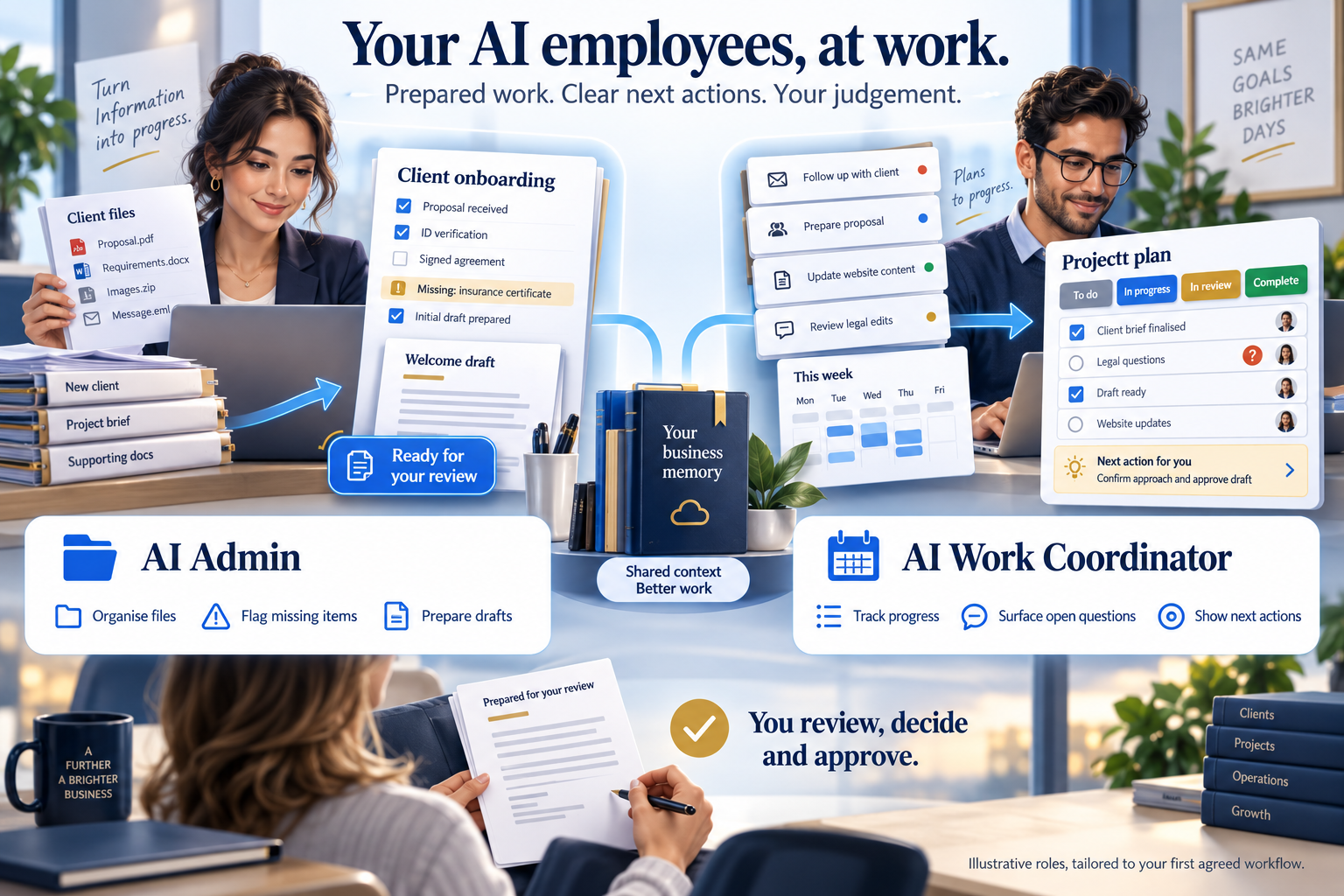
Organised files. Missing items flagged. Drafts ready to review.
Visible progress. Open questions. Your next clear action.
YOUR BUSINESS KNOWLEDGE + AI EMPLOYEES + THE RIGHT TOOLS
Your AI 2nd Brain holds the context. Your AI employees do the agreed preparation. The AOS, or Agentic Operating System, connects them to your working process and approved tools.
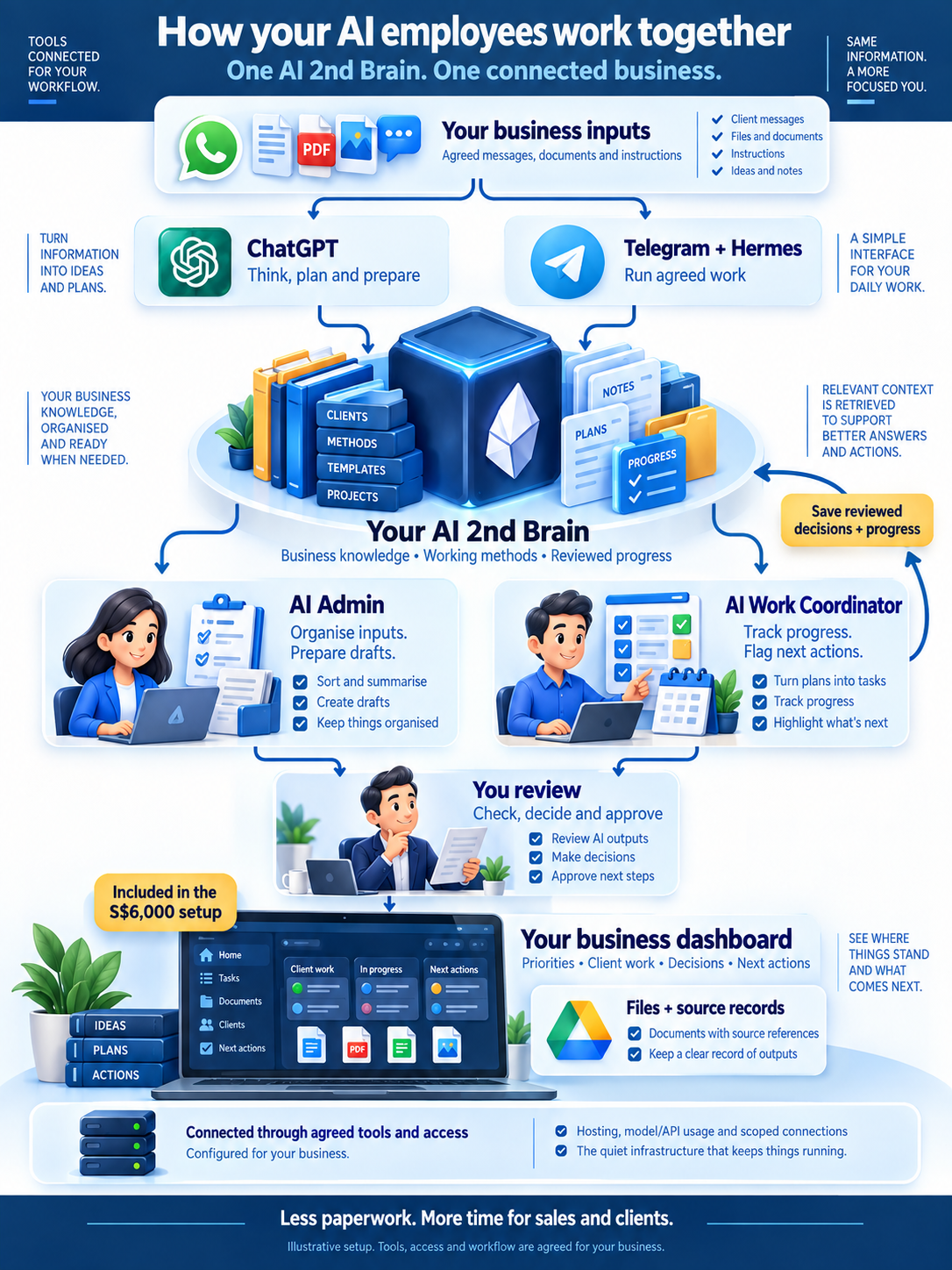
Your services, templates, working methods and reviewed progress. The relevant background is available when the next task begins.
Task roles that use that context to organise inputs, prepare drafts and show what needs attention.
The files, intake and tracker the workflow needs, with agreed access and review points. I handle the setup.
Useful corrections are reviewed before they become part of the saved method. You receive the agreed context and workflow handover; hosting, usage and ongoing support are scoped separately.
INCLUDED IN YOUR S$6,000 SETUP
Your business context and daily work, brought together by your AI 2nd Brain.
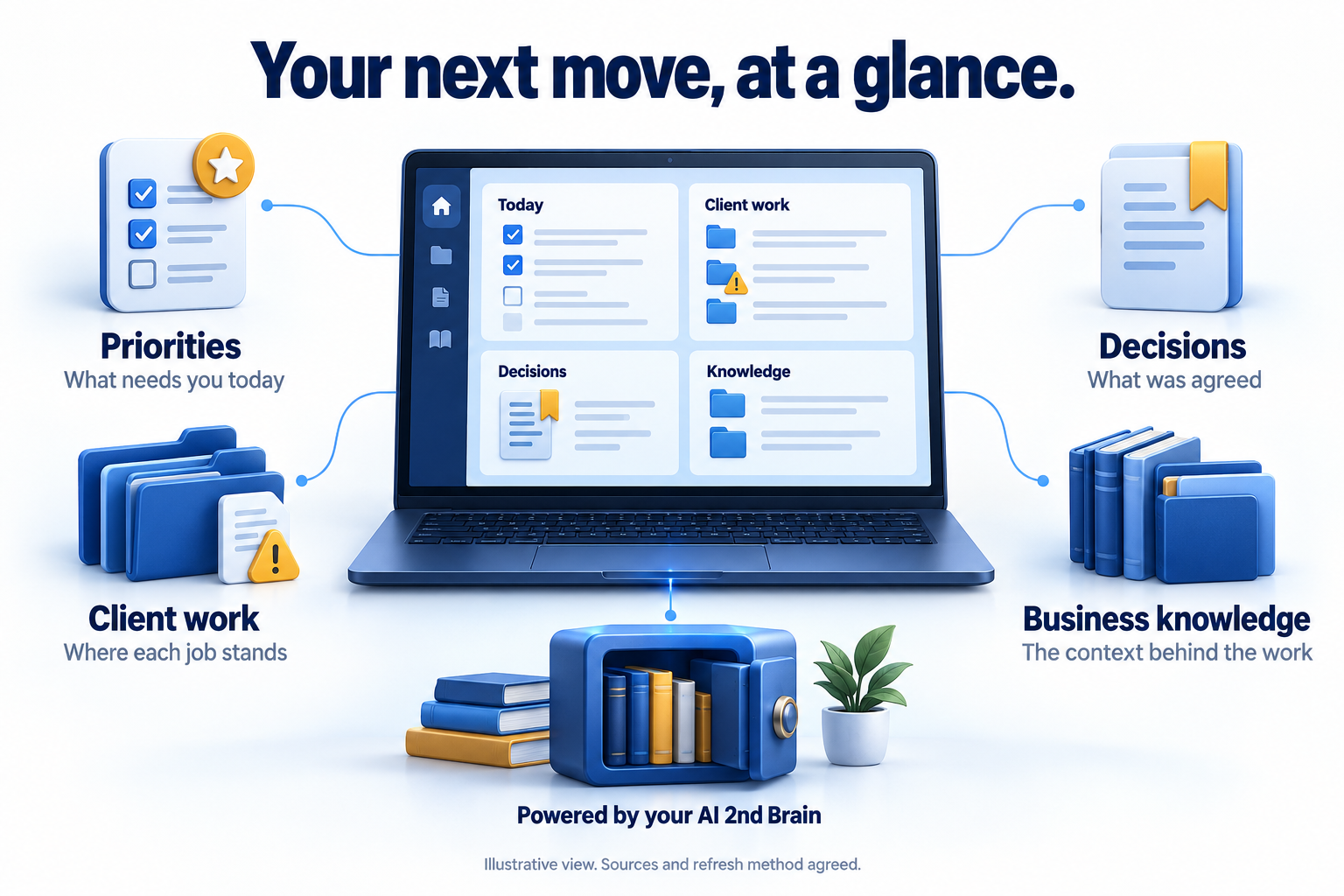
What needs you today.
Where each job stands.
What was agreed.
The context behind the work.
We agree the views, data sources, access and refresh method. Reviewed work and authorised inputs update the context; the dashboard shows when information was last updated. Your scope defines hosting, usage and ongoing support.
MAKE ROOM FOR THE WORK THAT EARNS
You want more clients. But each new client brings more documents, chasing and preparation. Start with the recurring work that keeps you busy without moving the business forward.
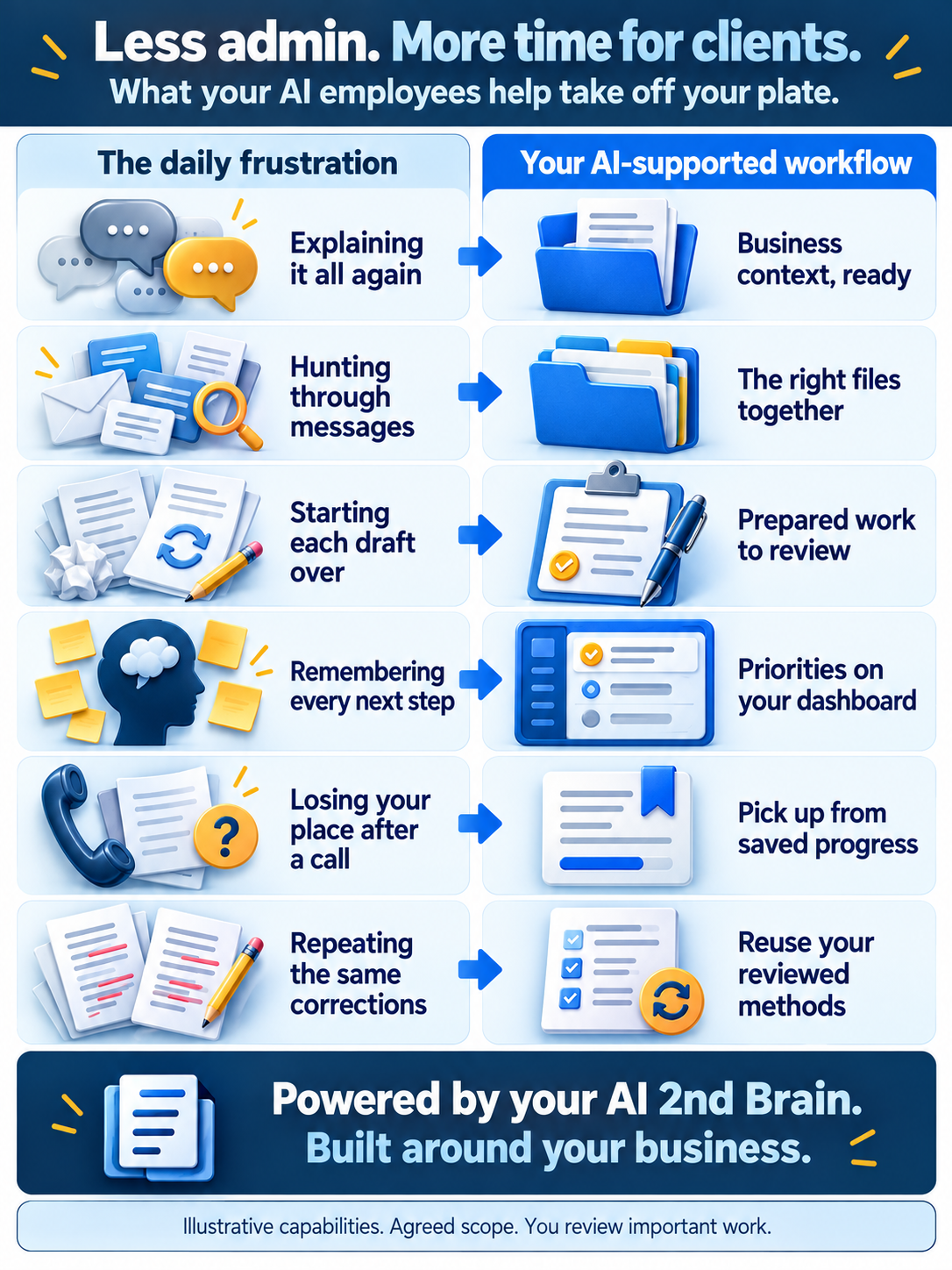
Then you are still finding files, rebuilding a checklist and remembering who needs a reply. The next sales conversation gets pushed back again.
Your AI employees prepare the agreed work and surface the gaps. You review, decide and return to clients with a clear next action.
Illustrative situations. We assess your actual workflow and agree the result before work or payment.
“I keep explaining the same thing.”
Your services, preferences and reviewed instructions stay available. Give the next task the background it needs without retyping the whole story.
“It’s somewhere in my messages.”
Bring the right documents and source references into the agreed workflow. Review the client’s work with its background in one place.
“Another draft from scratch.”
Let your AI employee prepare the next checklist, summary or draft from your method. Spend your expertise on checking and improving it.
“Who still owes me what?”
Get a summary of received items, missing information and next actions. Decide who to follow up with, without holding every task in your head.
“That call broke my train of thought.”
Return to the saved stage, decisions and next action. A client call does not have to mean reconstructing the whole job afterwards.
“I already corrected this last time.”
Review and save the lesson into the working method. The next preparation can use it, with important outputs still checked by you.
We choose the most useful recurring problem to solve first. Each capability is scoped and tested for your agreed workflow.
LESS ADMIN. MORE TIME FOR SALES & CLIENTS.
Let’s see how we can resolve it with AI employees.
AI results guaranteed or full refund. Scope, measures and deadline agreed before work or payment. Full setup fee refund terms.
Tell Alvin on WhatsAppA conversation is always free. Your message opens as a draft for you to review and send.